Websites v4 docs v8.3.0
NOTE: If you are developing a theme, you should run yarn docs from the theme app and follow the 'Getting Started' guide. The following README is specifically for development of the shared v4_lib package itself.
V4 Lib
Build
yarn build
Link to local theme app
yarn link
# then navigate to the theme app and run yarn link pointing to your local `v4_lib` directory:
yarn link ../v4_lib
Run for local development
yarn dev
Publishing
This package will be published as a new version tag to Bitbucket.
To publish a new version, the pull request should be merged to main and if the Jenkins build passes you should see a 'publish confirmation' step appear. You must check the 'publish confirmation' checkbox and enter a new version that follows semantic versioning:
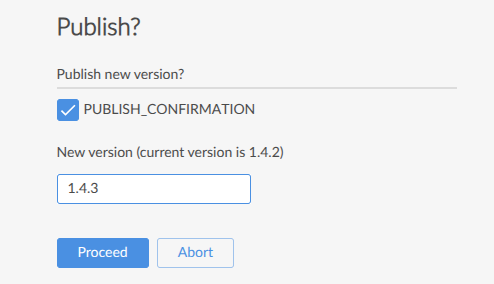
Then update the theme app's package.json lib dependency to point to the new version:
"@homeflow/v4-lib": "git+ssh://git@bitbucket.org/homeflow_developers/v4_lib.git#1.4.3",
Or update from your terminal (ensure you change the version after the # to the correct one):
yarn add "git+ssh://git@bitbucket.org/homeflow_developers/v4_lib.git#1.2.3" --force
or
yarn add @homeflow/v4-lib@git+ssh://git@bitbucket.org/homeflow_developers/v4_lib.git#2.0.8